Create an Event
Please follow the below instructions to create an event.
Navigate to Settings ➜ All Settings ➜ General ➜ Events and Announcements.
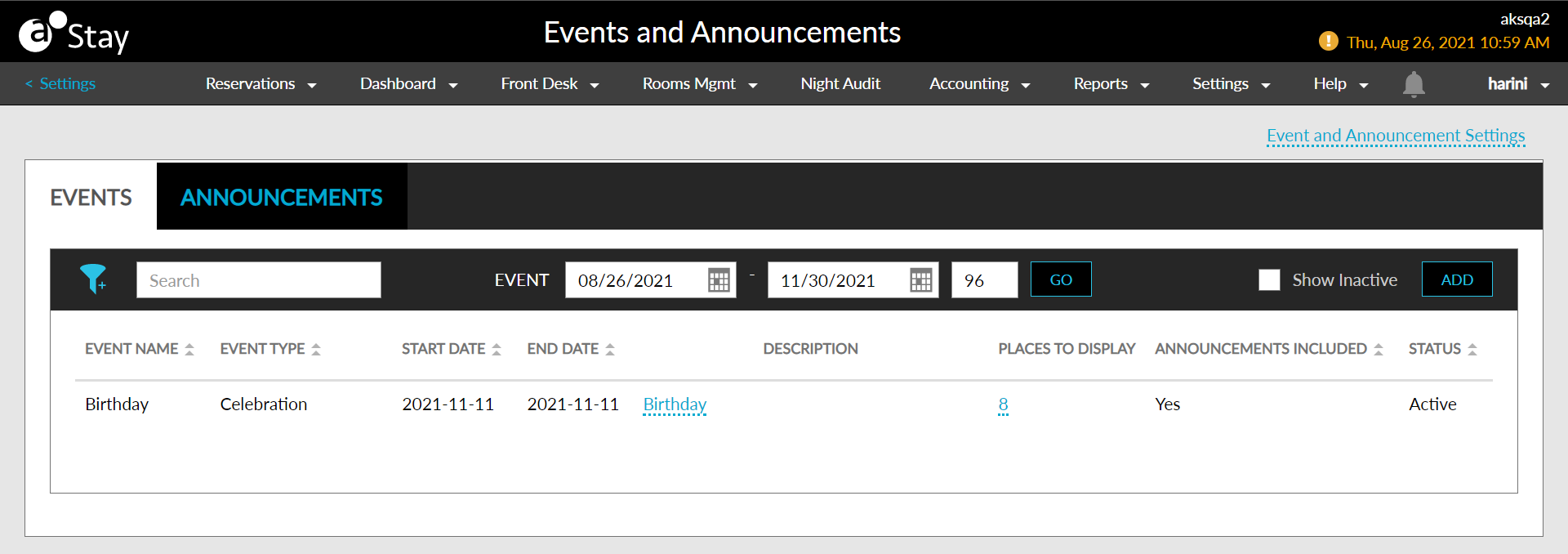
Click on the Events tab.
Navigate to and click on the Add button. The Add Event pop-up screen appears.
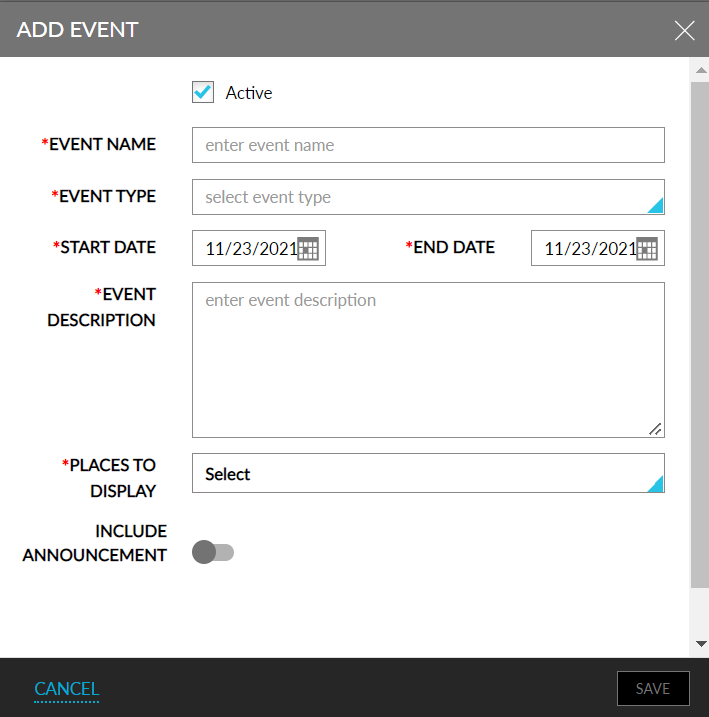
Refer to the below table and update the fields accordingly.
|
Field |
Description |
|---|---|
|
Active |
Enable the checkbox to activate the event. |
|
Event Name |
The name of the event. |
|
Event Type |
The type of the event. |
|
Start Date |
The start date of the event. |
|
End Date |
The end date of the event. |
|
Event Description |
A brief description about the event. |
|
Places to Display |
Places where this event must appear. |
Click Save.